 RICHARD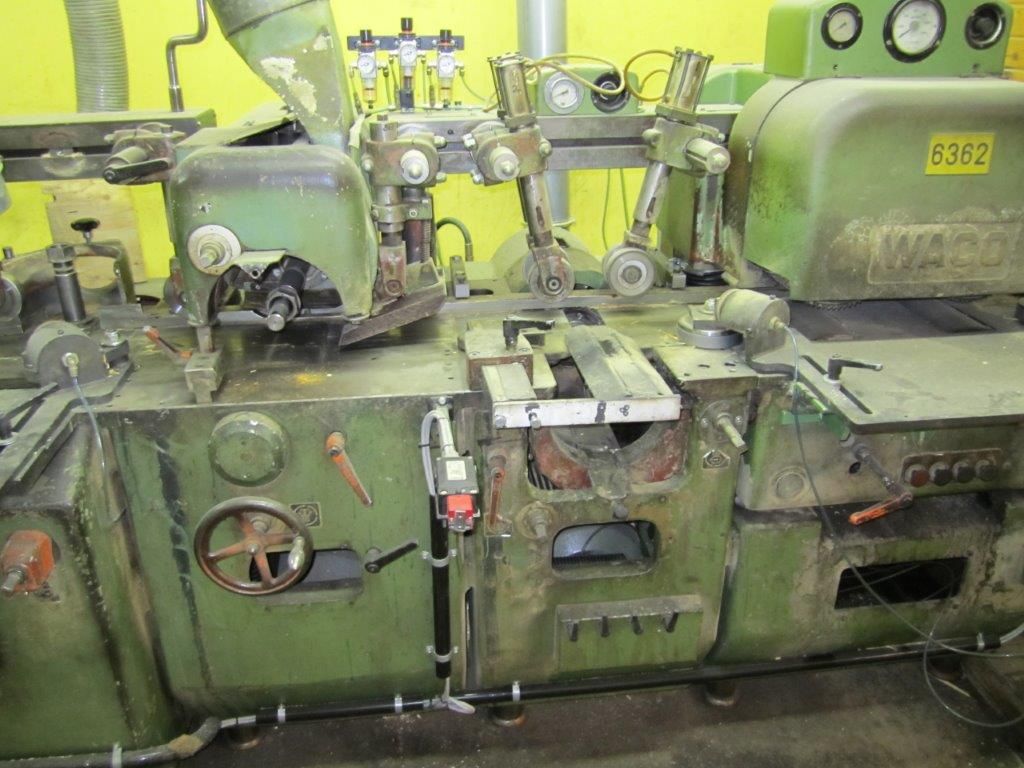
Common Planer Faults – And How to Troubleshoot Them
The planer is often the heart of production, whether you run a sawmill or a joinery. When the machine starts behaving strangely – ridges on the surface, uneven feeding or unusual noises – production stops fast and it costs money. By recognizing the most common faults and knowing how to troubleshoot them systematically, you can often solve the problem yourself before calling in a technician.
In this article we go through the most frequent faults on planer machines, how to identify the cause and which steps to take to fix them. We base our examples on machines such as the WACO HM225/3000 (/en/maskiner/RP-01035) and the Weinig U 17 (/en/maskiner/RP-01031), but the principles apply to most models on the market.
1. Ridges and uneven surface finish
The most common symptom is that the timber gets visible ridges or wave patterns after planing. The cause is usually:
- Worn or unevenly sharpened planer knives/round cutters
- Wrong spindle speed relative to feed speed
- Vibrations from bearings or unbalanced cutter heads
Troubleshooting: Always start with the tooling. Check the sharpness and that all knives sit evenly in the cutter. Used planer knives and round cutters (/en/maskiner/RP-65003) can be a cost-effective solution if the original tooling is worn out. Then measure spindle speed against feed speed according to the machine's data sheet – an incorrect ratio causes ridges immediately, even with freshly sharpened knives.
2. Feed faults and slipping feed rollers
If the timber jams, feeds unevenly or stops completely in the machine, the fault usually lies in the feed system:
- Worn rubber coating on feed rollers
- Incorrect pressure in pneumatic or spring-loaded roller suspensions
- Lack of lubrication in chain drives or gear trains
Troubleshooting: Run the machine idle and observe the rollers' rotation. Uneven rotation or visible play indicates worn bearings or drive chains. Also check the infeed – a poorly adjusted planer infeed (/en/maskiner/RP-34002) can cause the timber to feed at an angle before it even reaches the cutter, which is often mistaken for a problem in the planer itself.
3. Motor or spindle overheating
A motor that gets hot after a short run time indicates:
- Overload due to too high feed pressure
- Blocked cooling or lubrication channels
- Worn spindle bearings increasing friction
Troubleshooting: Turn off and let the machine cool. Check bearing play manually by carefully wiggling the spindle – too much play means the bearings need replacing. Clean cooling fins and check that fans are working properly.
4. Wrong dimension or angle on finished timber
If the timber comes out with the wrong thickness, width or angle, it's usually about:
- Misaligned fence rails
- Wear in the table's guide rails
- Incorrectly set depth stops on the cutter heads
Troubleshooting: Use a square and calipers to check deviations at several points along the table. Adjust fences step by step and test with sample pieces before running a full batch. Regular calibration, for example once a month during intensive operation, prevents most dimensional faults.
5. Abnormal noise and vibration
Rattling or vibrating noises can be due to:
- Unbalanced cutter heads after a knife change
- Loose fastening screws or couplings
- Worn belts in the drive system
Troubleshooting: Turn off the machine and systematically go through all fastening points. Check the balance of the cutter head – imbalance after a knife change is a common but easily overlooked cause. Replace belts proactively at signs of cracking rather than waiting for a total failure.
When is it time to consider a new machine?
If troubleshooting repeatedly leads back to the same worn components, or if spare parts for an older model become hard to find, it may be more economical to invest in a used but well-maintained planer. Machines such as the Jonsered H571 KB or H-45 KN often appear on the secondhand market in good condition and can be a good alternative to a newly produced machine with a long delivery time.
Summary
Most planer faults can be traced to four main areas: tooling, feed, calibration and bearings/drive system. By working methodically – always starting with the simplest checks (tooling and settings) before suspecting mechanical faults – you save time and avoid unnecessary downtime. Keep track of wear parts like feed rollers, belts and knives, and always have a plan for where to find spare parts or replacement machines when the need arises.
FAQ
Why do I get ridges in the timber despite freshly sharpened knives? Check the relationship between spindle speed and feed speed. Even with sharp knives, an incorrect speed ratio causes ridges, as does imbalance in the cutter head after a knife change.
How often should I check the feed rollers on my planer? During daily operation you should inspect the rubber coating and pressure setting at least once a week, and lubricate drive chains according to the manufacturer's service schedule.
Can a bad planer infeed cause problems that seem to come from the planer itself? Yes. A misaligned infeed can feed the timber at an angle or unevenly into the machine, which is often mistaken for a fault in the planer unit itself. Always check the infeed before troubleshooting the cutter and feed rollers.